Meet Suri: the meerkat AI draws with code
Meet Suri: the meerkat that artificial intelligence draws with code
At Suricata Labs there isn't a single image file of our meerkat.
What we have is a program that draws her from scratch in every video frame, from a set of curves, a skeleton and a few numbers that set her pose, her face and where she is looking. That program wasn't written by an illustrator or an animator. An artificial intelligence wrote it, looking at the reference illustrations, while I approved each stage.
Her name is Suri, and she is the first result of our design lab.
The lab's question
Almost everyone uses AI for the obvious: asking it for an image, a text or a summary. It works, but it leaves a question unanswered: how far does it go if you use it in a way nobody would?
To answer it we picked an uncomfortable challenge. Character animation is one of the most handcrafted trades there is: someone draws, someone animates, someone records the voice, someone edits. AI video generators solve part of that, but the character shifts a little in every take and there is no way to ask it to repeat exactly the same gesture.
So we didn't ask the AI for a video. We asked it to build the whole animation studio, in code, with a character so precise that a single misplaced pixel could be detected.
A character that isn't a drawing
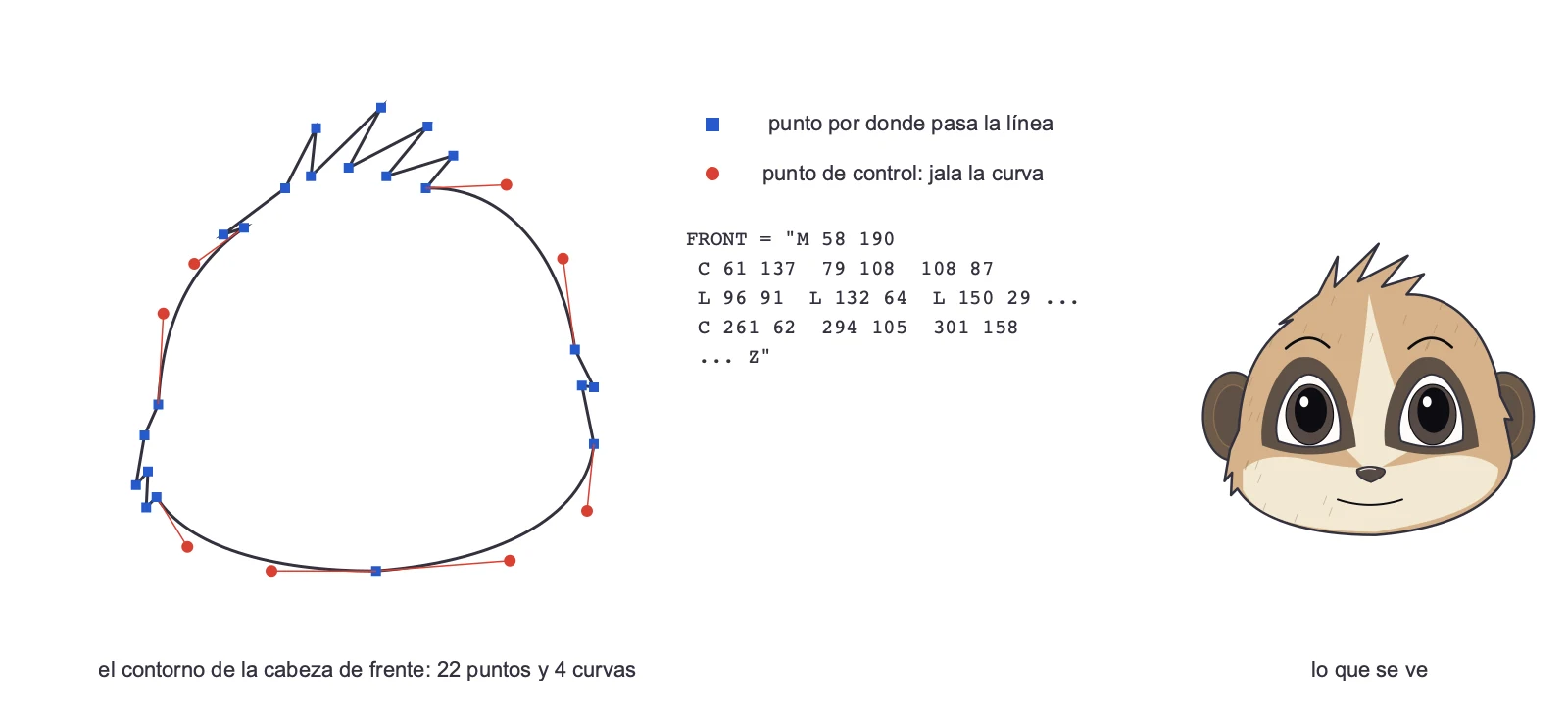
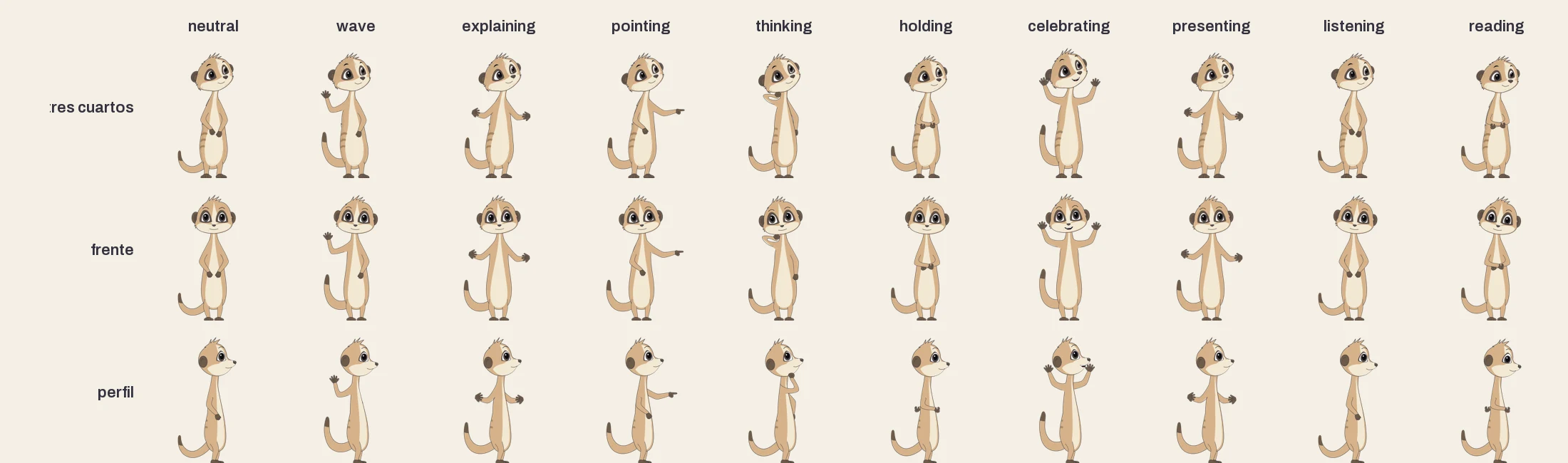
Every part of Suri (head, eyes, markings, body, arms, tail) is written as a list of Bézier curves. They are the same curves behind the pen tool in Illustrator or Figma: a line that passes through some points while other points, the control points, pull it without touching it, like a magnet.
The difference is that nobody moved those points with a mouse. The AI wrote the coordinates by hand, rendered the result, compared it with the reference and corrected it. A full standing Suri is about 370 strokes like that.
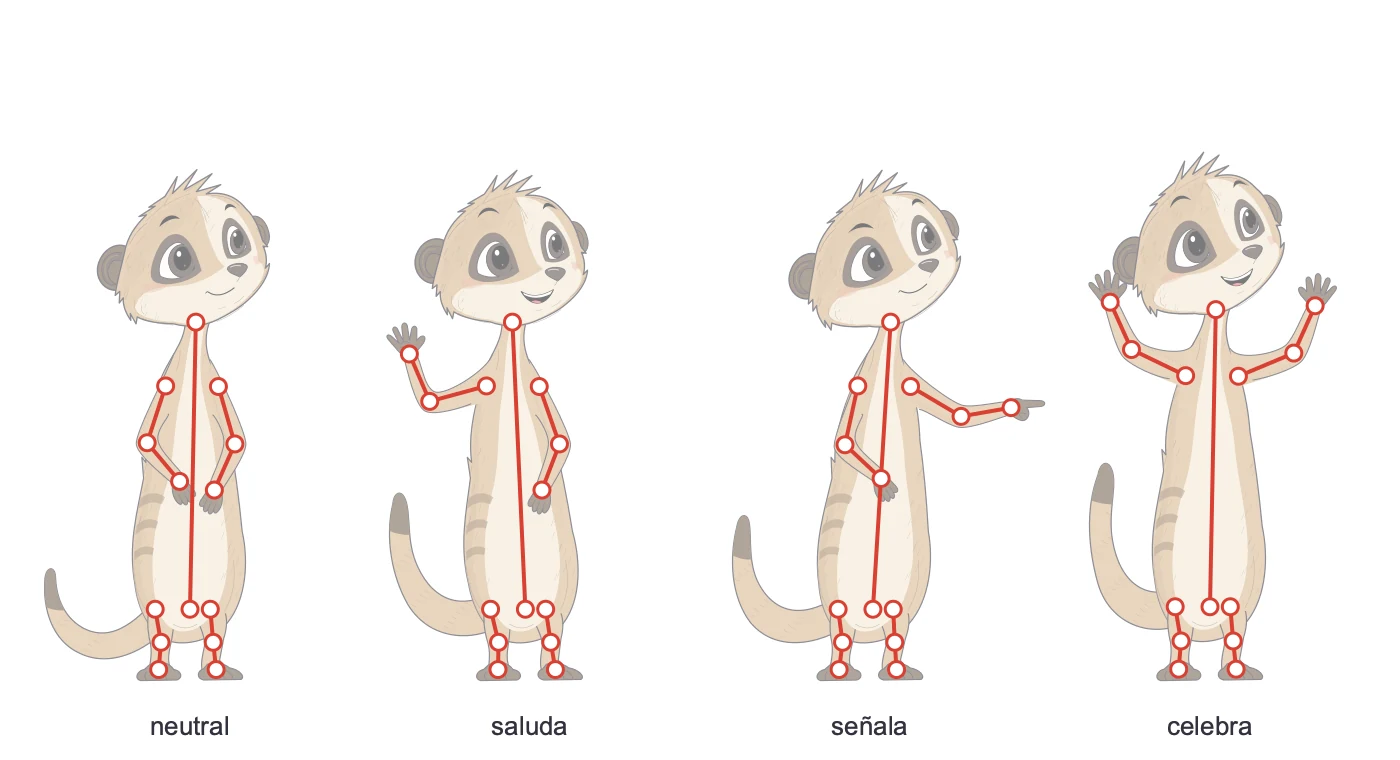
Underneath the curves there is a skeleton: neck, pelvis, shoulders, elbows, wrists, hips, knees and ankles. The bones have a fixed length, and the body's curves bend around them.
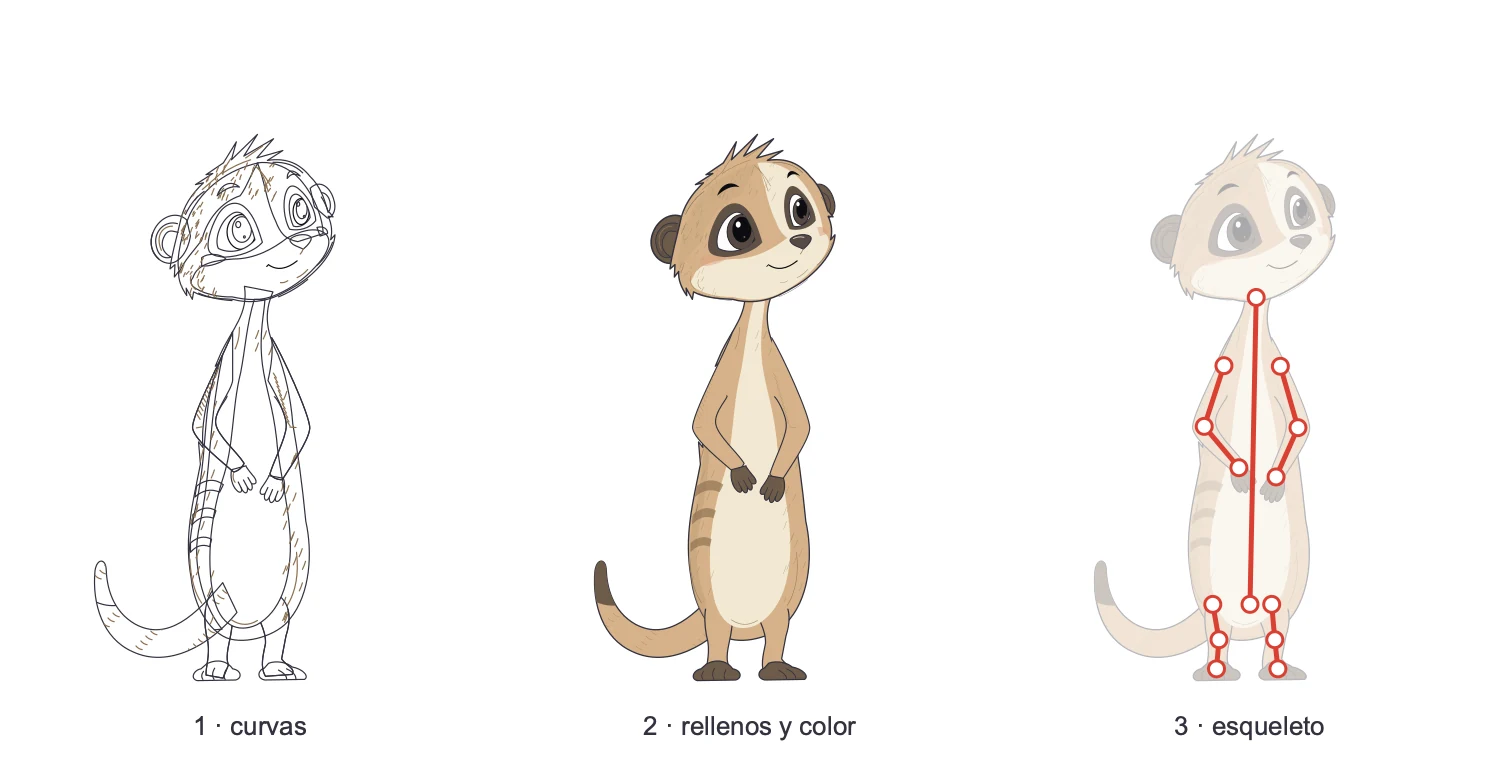
That completely changes what a pose means. A pose isn't a new drawing: it's a list of angles. Waving is the shoulder at −75°, the elbow at −160°, the wrist at 170°, an open hand, the body leaning 3° and a happy expression. To hold a cup, nobody draws the arm; you say where the hand must end up and the program works out the elbow.
The face is a separate layer
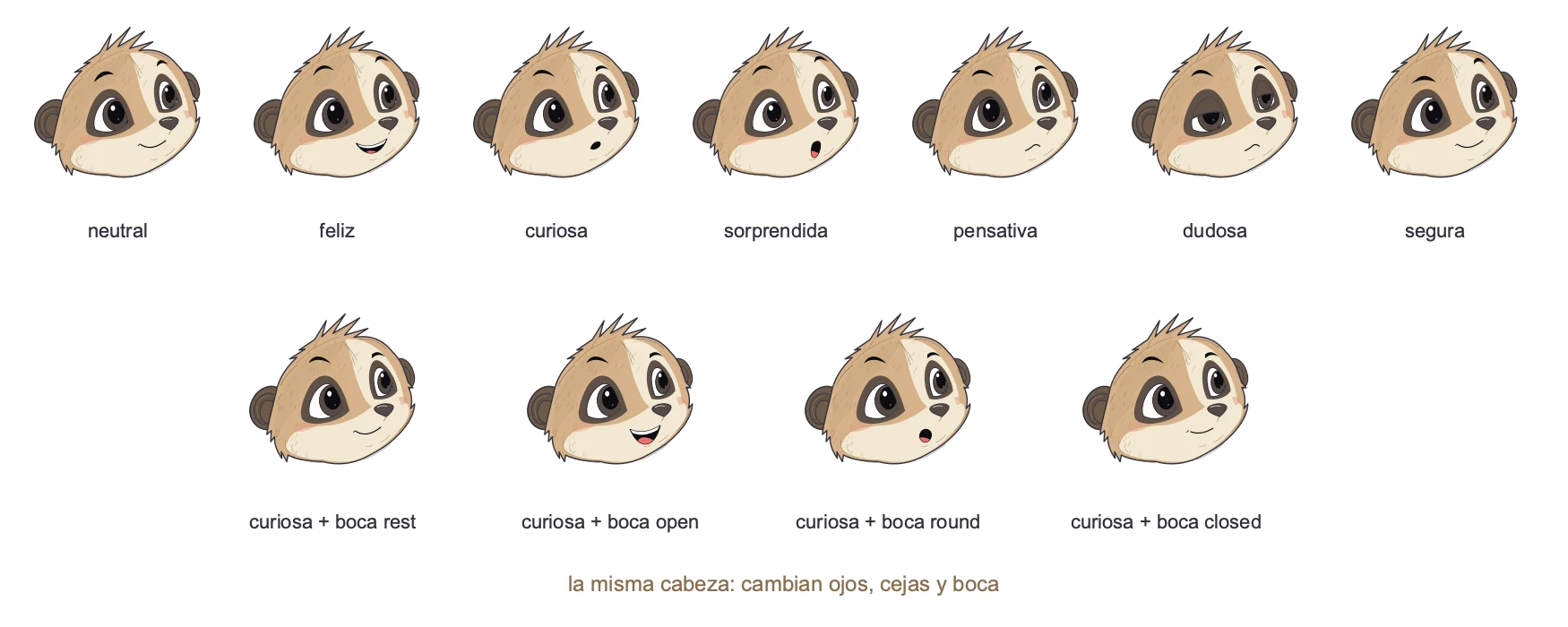
The shape of the head never changes. Eyes, eyebrows and mouth chosen from a list go on top, and that is an expression. Suri has nine: neutral, happy, curious, surprised, thoughtful, doubtful, focused, confident and explaining.
For speech there are four extra mouths (rest, open, round and closed) that combine with any expression. That's why she can be curious and talking at the same time.
Four views and a seamless turn
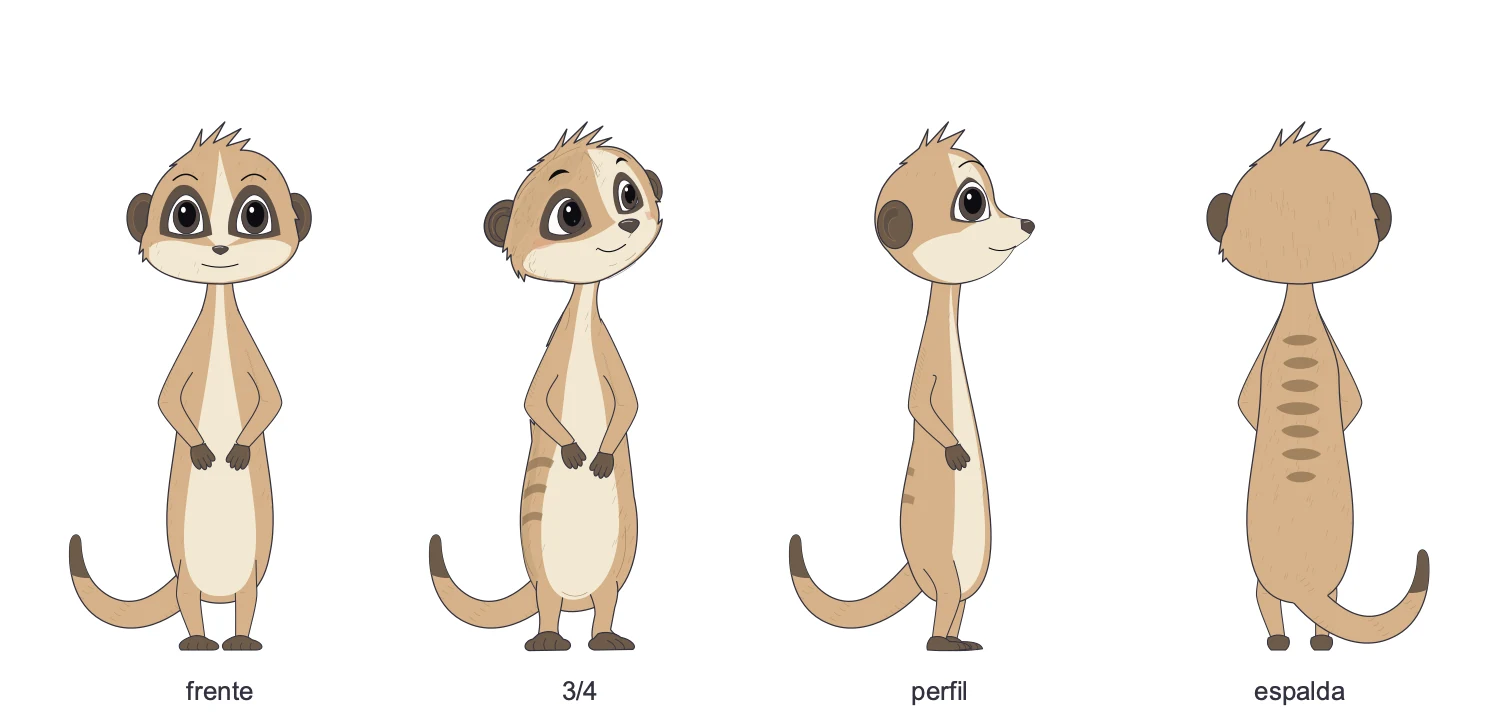
The original design was three-quarter. Front, profile and back came from it, each with its own curves but with the same skeleton, palette and proportions.
When Suri turns, the program doesn't swap drawings abruptly. It blends the curves of one view into the next and staggers it like a real meerkat: eyes first, then head, then torso, then a little step, with the tail arriving last.
Movement is calculated, not drawn
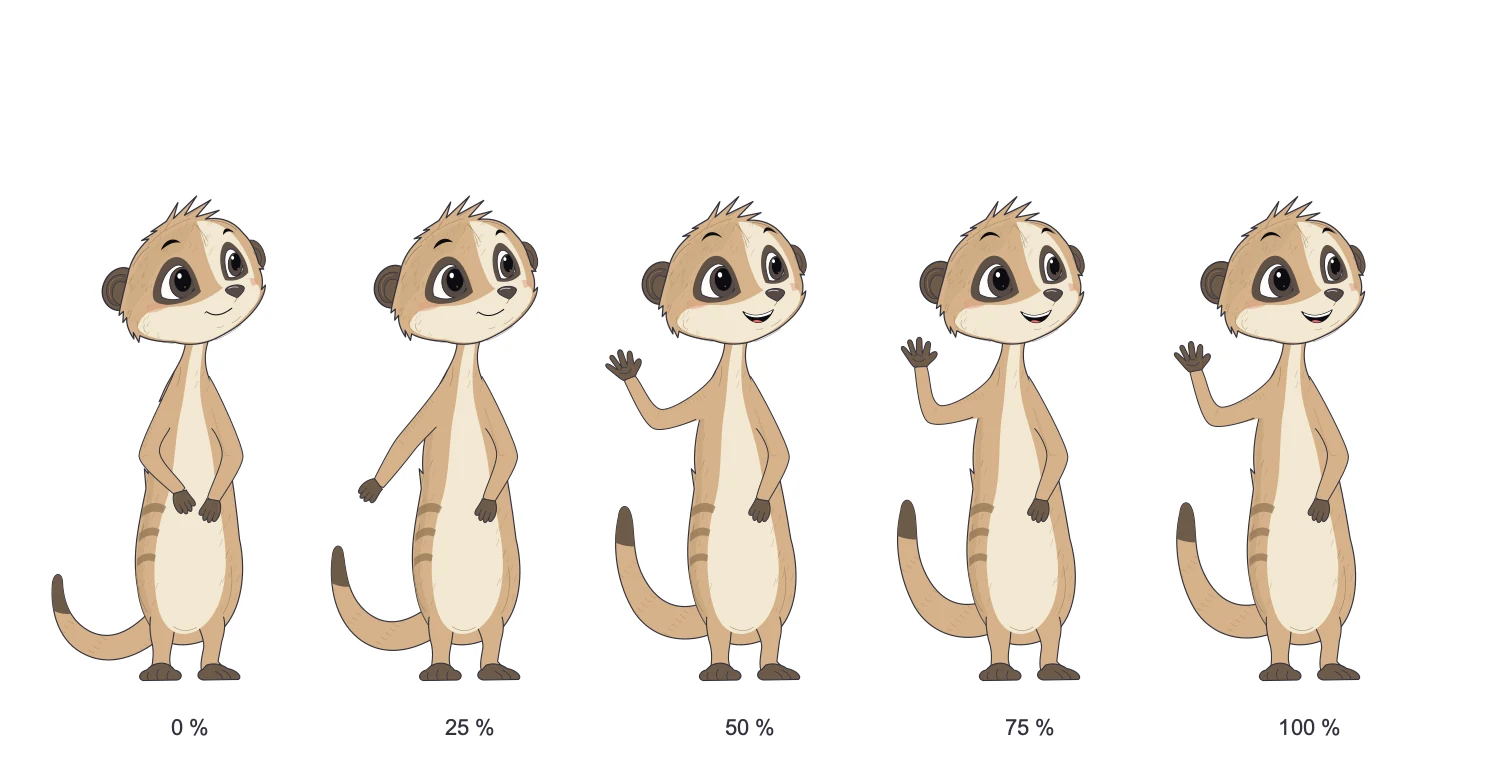
A Suri video stores no in-between drawings. Between two poses, the program calculates the angles for each frame and draws her from scratch, 24 or 30 times per second.
The angles move along a smooth curve, with some anticipation at the start and some settling at the end. Whatever isn't a number, like the shape of the hand or the expression, switches right at the midpoint, when the motion is fastest and the eye doesn't notice. And even when she holds a pose, Suri breathes, twitches her ears and blinks.
This is the fact that surprised me most. Drawing Suri uses no AI. It's a Python program running on the computer, offline: a frame takes about six hundredths of a second, and a 20-second video renders in under a minute.
AI only costs money when Suri learns something new: a pose, a movement, a fix. You pay once to teach her to wave. From then on, waving is free and always comes out the same.
What's approved can't be broken
Because everything is code, a small change could warp Suri without anyone noticing. So every stage was approved by looking at images and videos, and what was approved got frozen into 146 automated tests. The head and the full model sheet are redrawn and compared pixel by pixel against the approved versions. One different pixel and the test fails.
That's the difference between a generated character and a character with an identity.
An animation studio made of code
With Suri ready, the next step was putting her to work. A 60-second explainer starts from a six-line brief and a script. The rest is done by a system in which every department of an animation studio is a piece of software:
| Department | Who does it | What it delivers |
|---|---|---|
| Direction | Me | The brief and three approvals: script, voice and video |
| Script | Claude, with a persuasive copywriting method | The script, scene by scene |
| Voice | ElevenLabs, with Suri's voice | One audio file per sentence and the exact timing of every letter |
| Storyboard | Claude | Every gesture anchored to a word in the script |
| Animation | Suri's program | The character, frame by frame |
| Art direction | A catalog of objects drawn in code | Drawings that sketch themselves on paper |
| Editing | Remotion and ffmpeg | Scenes in sequence, camera moves and the final video |
Of nine steps, only three need a person. And all three are judgment calls: does this script say what it needs to say? does this voice sound right? is this video ready?
The voice is in charge
In a traditional studio you animate first and dub later. Here it's the other way around. The voice is recorded first, and it decides how long each scene lasts and on which frame each thing happens.
ElevenLabs returns the audio plus the moment each letter starts and ends. Suri's mouth comes from those timings (open vowels open it, rounded vowels round it, m, b and p close it), and so do the subtitles. Nobody types them.
The storyboard doesn't count frames either. It says things like "on the word individual, Suri presents the desks; on when, she points". If the voice changes, everything rearranges itself.
Every idea becomes an object
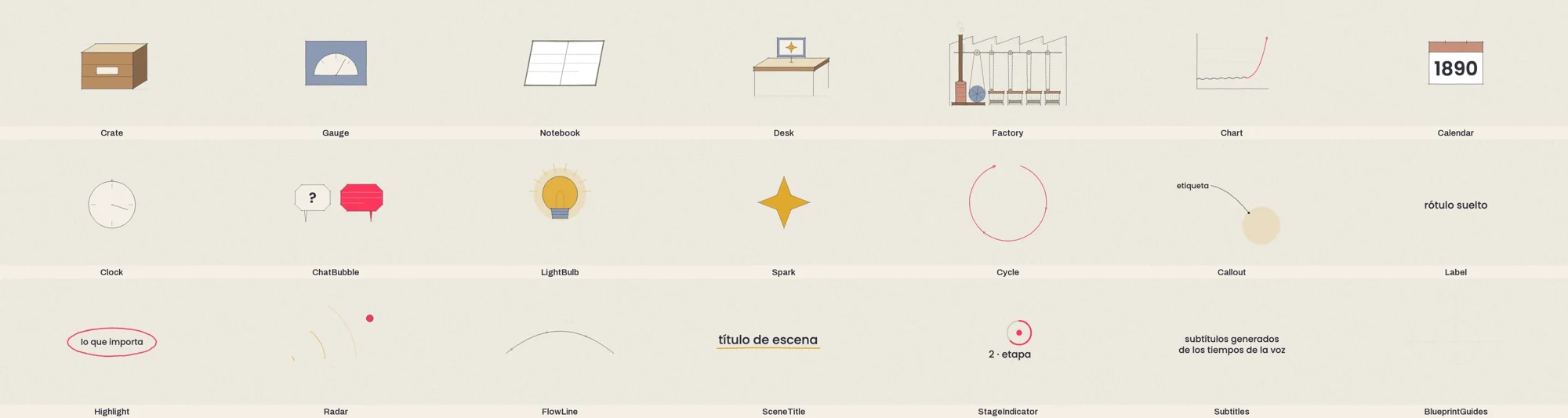
In the explainers, each concept turns into something physical: the problem is a gauge, a team member is a desk, an organization is a factory, AI is a spark. Those objects live in a catalog, draw themselves stroke by stroke and are reused from one video to the next.
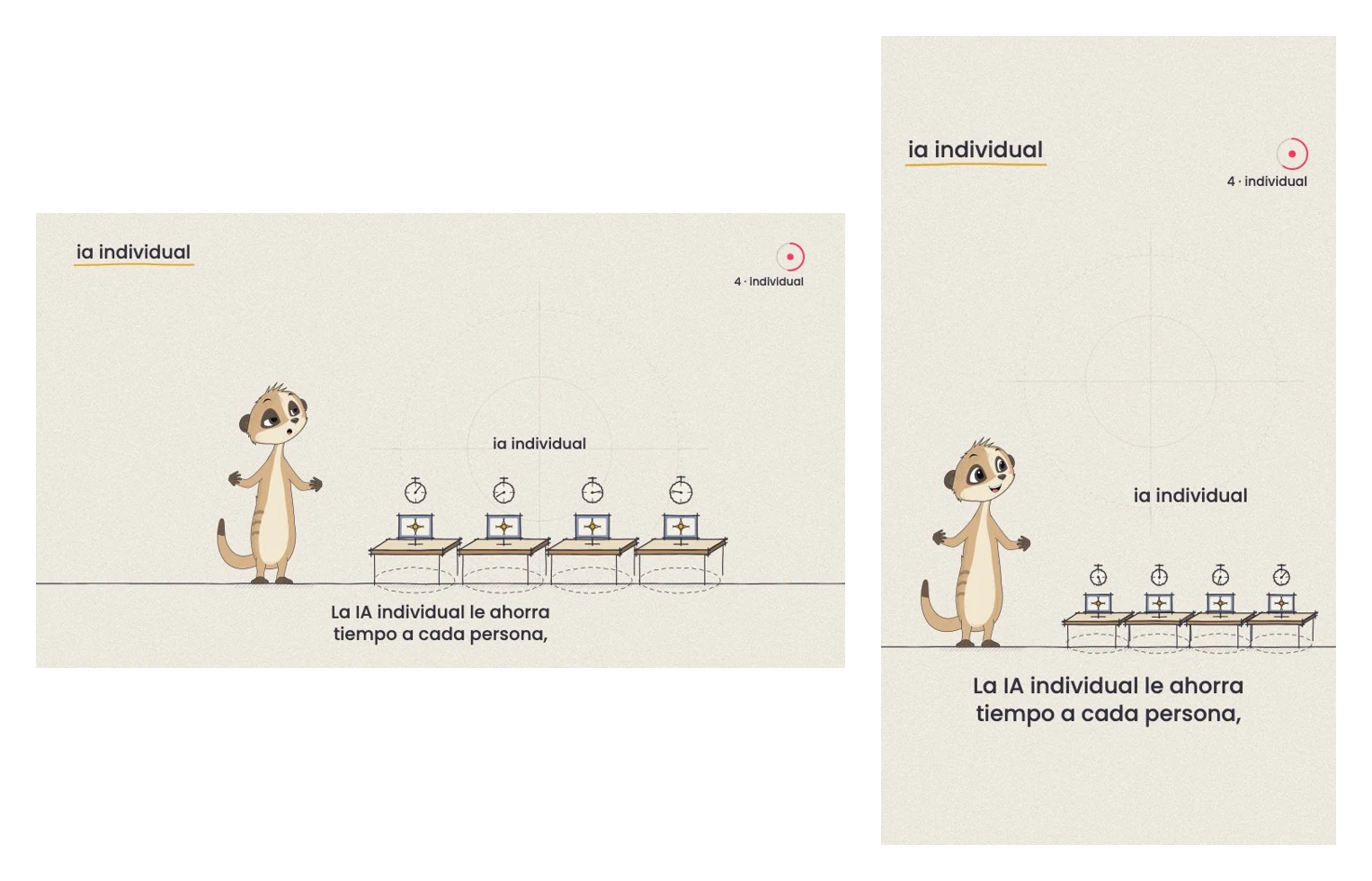
The same script and the same voice work for both horizontal and vertical formats. What changes is where everything goes and which way Suri points.
Each video is easier than the last
The explainer on individual and institutional AI, the one at the top of this post, has six scenes and came out in two formats. It didn't take six times the work of a single-scene video, only a little more.
The reason is what makes the whole experiment interesting: the hard part is building the pieces, not using them. The first explainer created 3 objects. The second reused those and created 12 more. Each new video should create fewer than the last, and the character is already built. Rendering, on top of that, runs on the computer and costs nothing.
What we learned (and what Suri can't do yet)
The first videos left rules that are now part of the method:
- Acronyms are spelled out the first time. The voice read the Spanish "usa IA" as one mashed-up word. Timing data doesn't reveal a bad pronunciation: you have to listen.
- Simple wins. We tried Suri's entrance with a jump, a trot and a separately built walk. All three looked worse than just leaving her standing in place.
- Every gesture needs a reason. Counting on her fingers when listing, shrugging at a doubt, nodding to confirm. A gesture on every sentence gets tiring.
- The background only changes if it means something, like the aged paper when the story goes back to 1890.
And there are limits. Suri only walks in profile, because walking toward the camera isn't approved yet. She doesn't pick up or drop objects mid-animation: the object just appears or disappears. Two meerkats having a conversation don't exist yet. Her finish is cleaner and flatter than the original illustration.
None of these is a wall. Each one can be taught with the same process of reference, review and approval. That's how the jump, the somersault and the 360° turn came about.
Why this matters beyond a meerkat
Suri isn't an animation project. She's proof of something we repeat in every artificial intelligence program we support: AI really pays off when you use it to build systems, not to request one-off results.
Asking an AI for a video gets you a video. Asking it to build the studio gets you a hundred consistent videos, with the same character, at a fraction of the cost, and with a person deciding only what takes judgment. It's the same logic I argued in why creative industries are the privileged ones in the AI era: execution stopped being the bottleneck, and what's scarce now is knowing what's worth building.
Suri will keep learning. If your organization has a process that looks too handcrafted for AI today, it's probably worth asking yourself the same question we did.